

ASA2 DevTools 1.1.0 is now available as a free add-on plugin. It provides four inspection tools for working with Amazon API data and ASA2 templates directly in the WordPress admin: a product search tester, a live template preview, a placeholder inspector, and an API response viewer.
What ASA2 DevTools Offers
- Search Items Tester: Search Amazon products by keyword and pass results to other tools via context menu
- Template Preview: Live preview of how a product renders with a specific template
- Placeholder Inspector: View all available template placeholders for any ASIN or product ID
- API Response Viewer: Display raw PA API and Creators API responses with syntax highlighting
From TestSuite to DevTools
ASA2 has included a TestSuite module with a Placeholder Inspector and API Response Viewer since earlier versions. ASA2 DevTools is the redesign of these tools in a separate plugin with a modern frontend, plus two new tools: the Search Items Tester and Template Preview.
Moving these features into their own plugin allows better encapsulation of the source code and independent release cycles. All four tools share a common workflow: search for a product, then inspect it from different angles using the context menu on each result.
Search Items Tester
The Search Items Tester is the entry point for all DevTools. Enter a keyword, select a marketplace, and see the Amazon API results as product cards.
Each result includes a three-dot context menu. From there, open any product directly in the Placeholder Inspector, API Response Viewer, or Template Preview. This eliminates copying ASINs between tools.
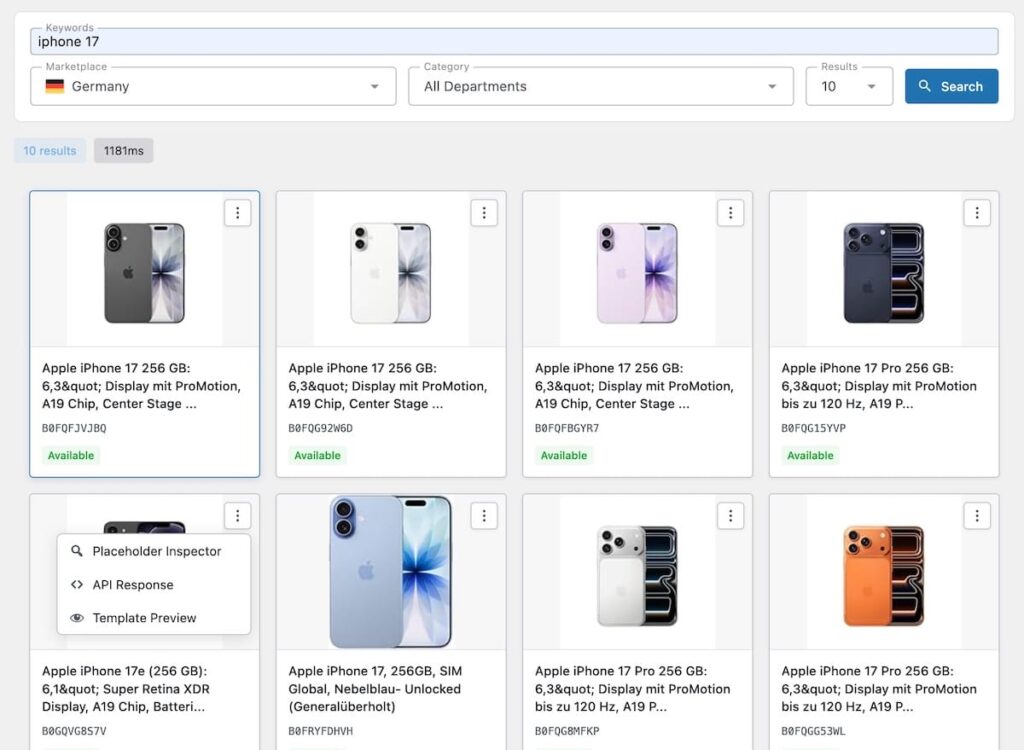
Search results with context menu for quick access to all inspection tools.
Template Preview
The Template Preview renders a live preview of how a product looks with a specific ASA2 template. Enter an ASIN or product ID, select a template, and see the rendered output.
The preview supports responsive viewport testing. Switch between different screen widths to check how templates adapt to mobile, tablet, and desktop sizes. The preview renders in an isolated iframe to avoid CSS conflicts with the WordPress admin.
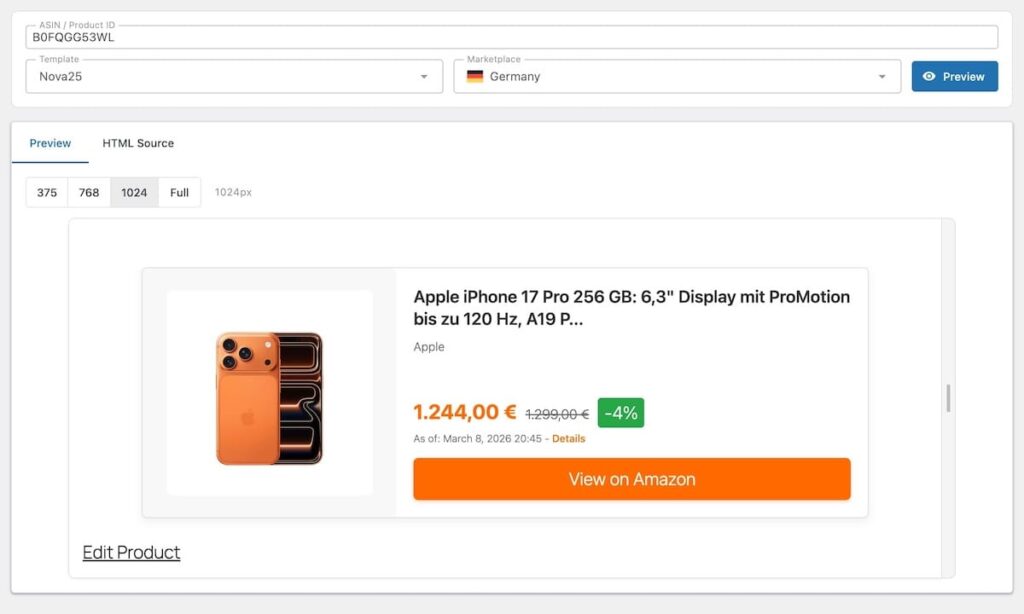
Live template preview with responsive viewport selection.
Placeholder Inspector
ASA2 templates use placeholders like {{ Title }}, {{ OffersAutoPriceFormattedPrice }}, or {{ MainImageURL }} to display product data. The Placeholder Inspector shows every available placeholder for a given ASIN or product ID, including its current value and data type.
This is the reference tool for template development. Instead of guessing which placeholders exist, look them up for any product and see the actual values ASA2 resolves.
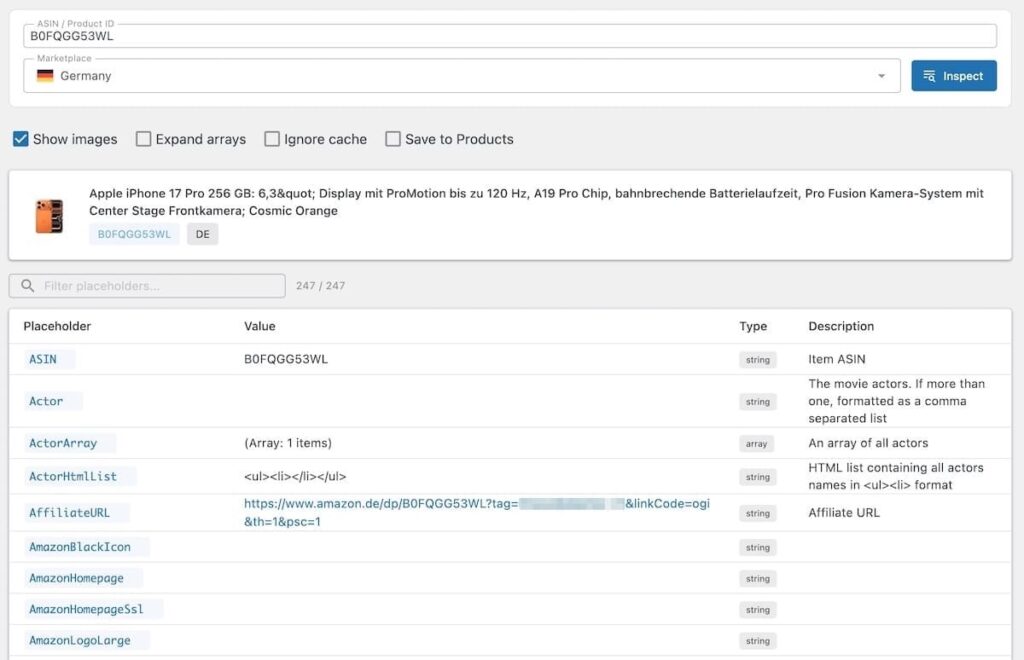
All placeholders for a product with their resolved values and data types.
API Response Viewer
The API Response Viewer displays the raw JSON response from Amazon’s API for any ASIN. It supports both the Product Advertising API (PA API) and the Creators API, with automatic detection based on your configuration.
The response is shown with syntax highlighting and includes fields that ASA2 does not map to placeholders. This helps when debugging missing data or verifying what Amazon actually returns for a product.
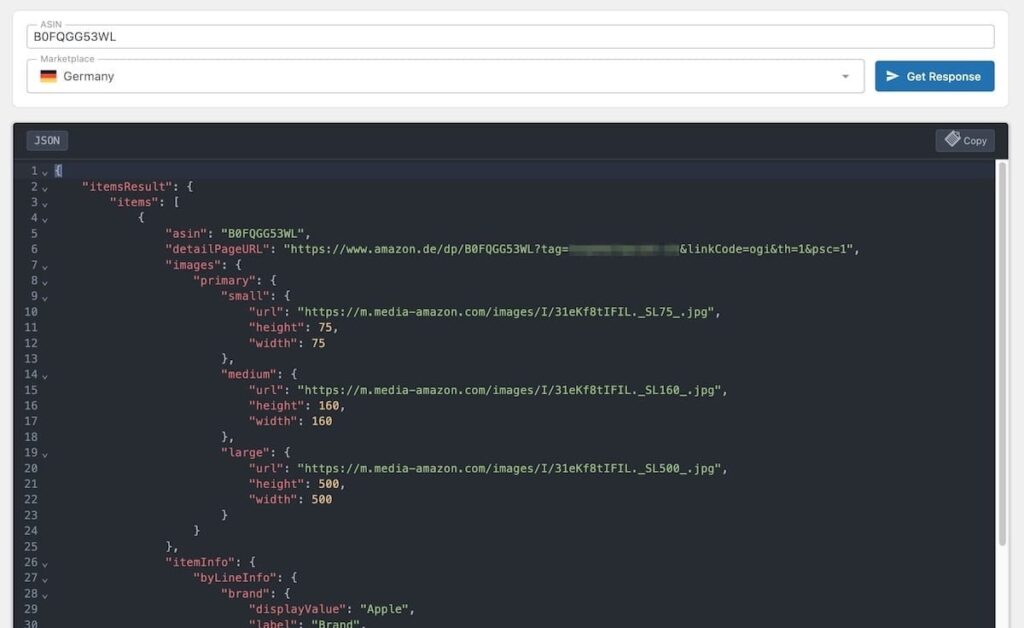
Raw API response with syntax highlighting and format badge.
Getting Started
- Get a free license on the ASA2 DevTools product page
- Download the plugin from your account area
- Upload and activate the plugin in WordPress
- Enter the license key on ASA2’s license page
- Open ASA2 > DevTools and start with a product search
Technical Requirements
- PHP: 8.1 or higher
- WordPress: 6.0 or higher
- ASA2: 1.29.0 or higher
- License: Free license key required (available from your account area)
For questions or issues, visit the help page. The product page with full details is at getasa2.com/products/asa2-devtools.


0 Comments