
Developer Tools for ASA2
Inspect API responses, debug templates, and explore placeholder data — directly in your WordPress admin.
The Problem
Working with ASA2 templates and API data is a black box. You can't see what placeholder values are available, how the API responds, or why a template renders a certain way. Debugging means trial and error.
The Solution
ASA2 DevTools gives you inspection tools inside WordPress: search Amazon products, inspect placeholder data, view raw API responses, and preview templates in real time.
Key Features
Search Items
Test Amazon product searches with keywords across all marketplaces.
Template Preview
Preview how any product renders with a specific template.
Placeholder Inspector
Look up any ASIN and see all available template placeholders with their values.
API Response Viewer
View raw PA API and Creators API responses with syntax highlighting.
Tools in Detail
Each tool is accessible from the ASA2 > DevTools menu in your WordPress admin.
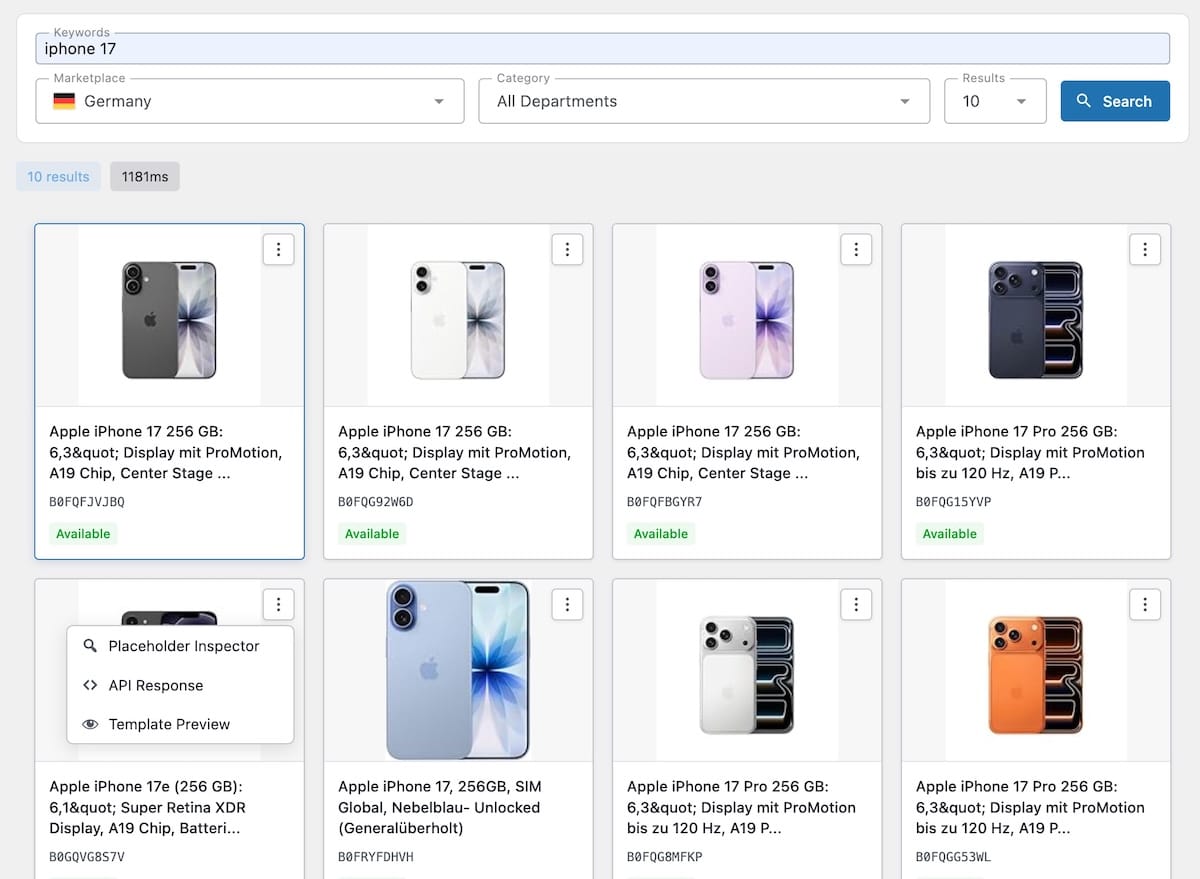
Search Items Tester
The starting point for all DevTools. Search Amazon products by keyword across any marketplace. Each result includes a context menu that lets you open the product directly in the Placeholder Inspector, API Response Viewer, or Template Preview — no need to copy ASINs manually.
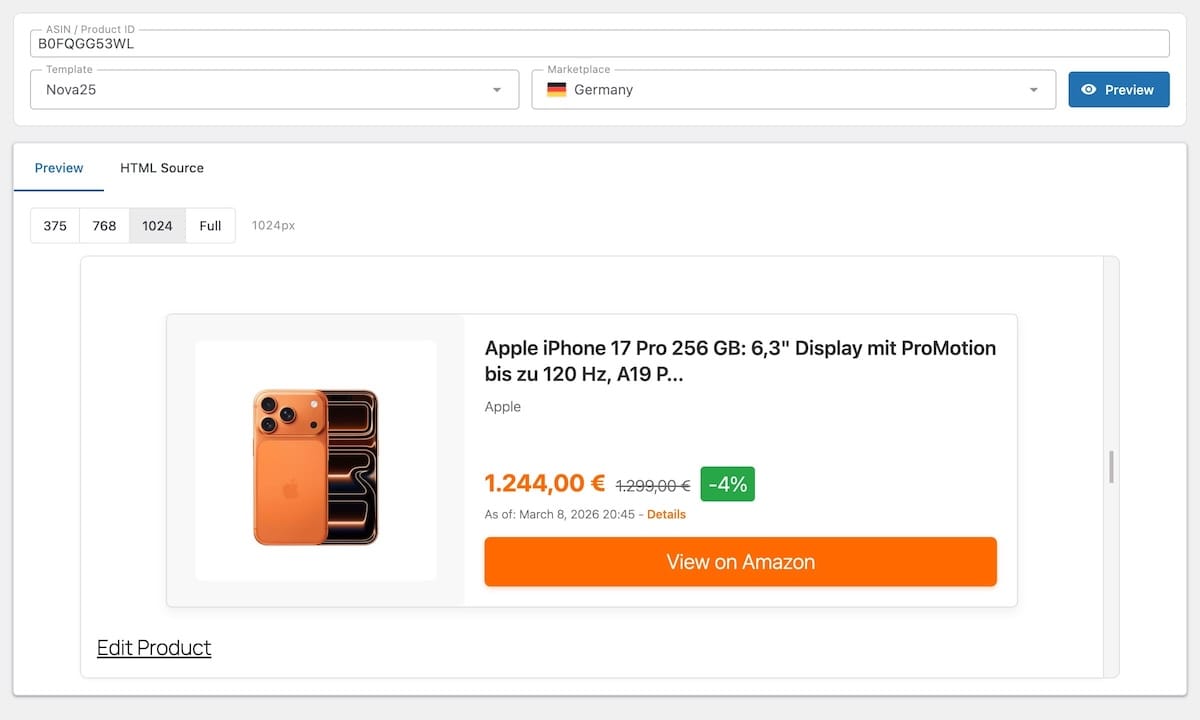
Template Preview
Live preview of how a product renders with a specific template. Select an ASIN or product ID and a template, and see the rendered output. Supports responsive viewport testing to check how templates look at different screen sizes.
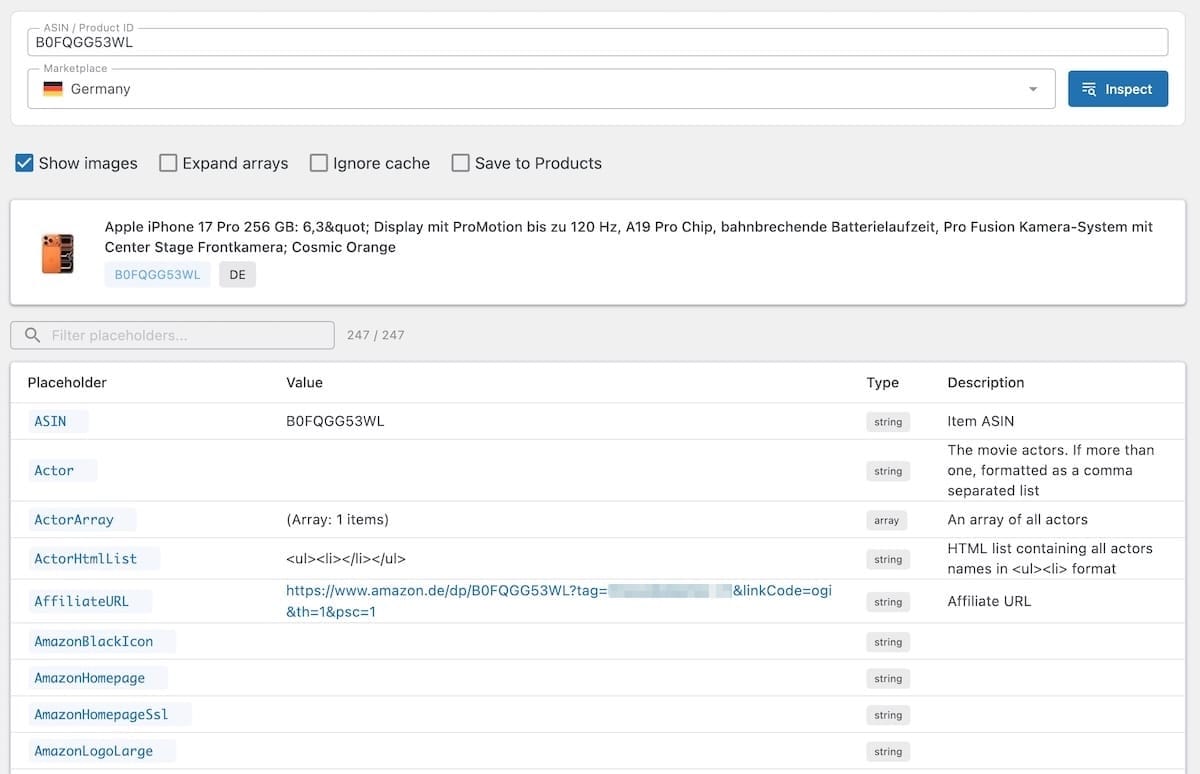
Placeholder Inspector
See every available placeholder for a given ASIN, including its value and data type. Enter an ASIN or product ID, and the inspector shows all placeholders that ASA2 makes available for templates. This removes the guesswork when building custom templates.
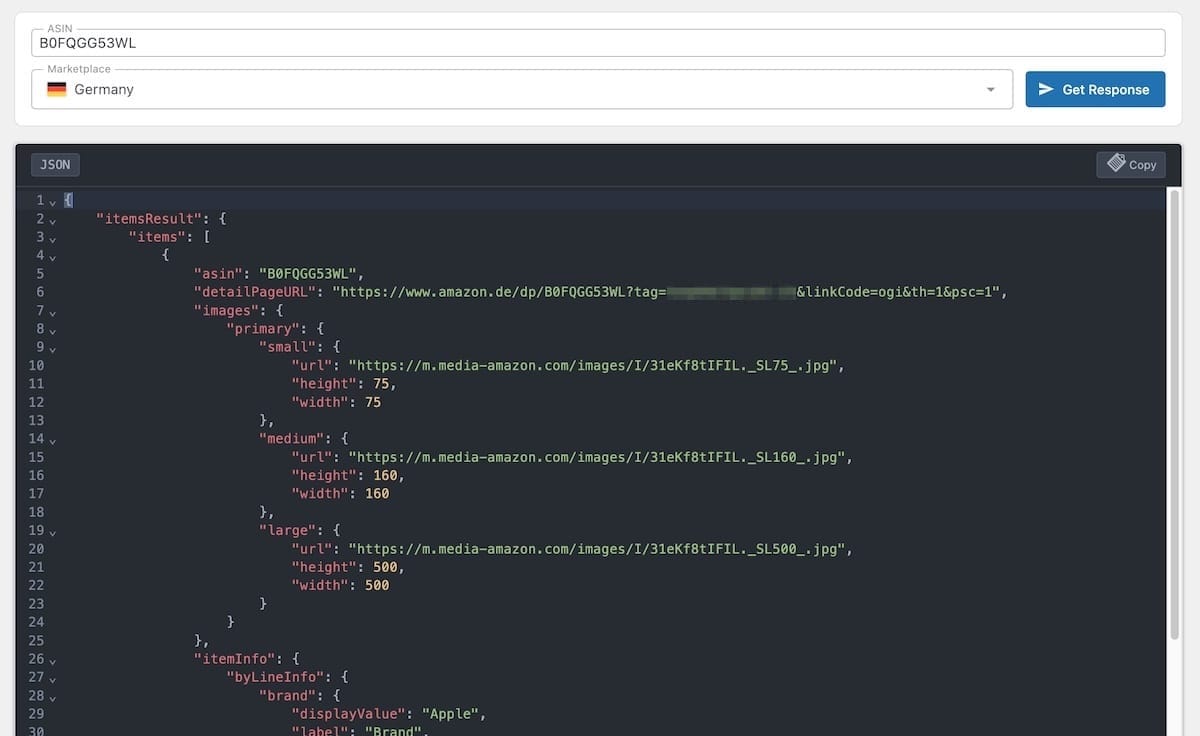
API Response Viewer
View the raw API response for any ASIN with syntax highlighting. Supports both PA API and Creators API. See exactly what data Amazon returns, including fields that ASA2 does not map to placeholders.
How It Works
Install and Activate
Upload the plugin and enter your free license key. Requires ASA2 1.29 or newer.
Open DevTools
Navigate to ASA2 > DevTools in the WordPress admin
Start Inspecting
Select a tool and explore your API data and templates
Free for All ASA2 Users
ASA2 DevTools is free for all ASA2 users.
A license key is required for automatic updates.
- Search Items Tester
- Template Preview
- Placeholder Inspector
- API Response Viewer
- Automatic Updates
- Email Support
Frequently Asked Questions
Which ASA2 version do I need?
ASA2 DevTools requires ASA2 1.29 or newer.
Which ASA2 license do I need?
ASA2 DevTools works with any ASA2 license tier.
Does it work with both PA API and Creators API?
Yes, all tools support both the PA API and the Creators API.
Does DevTools affect site performance?
No. The tools only run when you actively use them in the WordPress admin. They do not add any overhead to your frontend or background processes.
Free for All ASA2 Users
Download ASA2 DevTools and get a free license key from your account area.