
Affiliate Click Tracking for ASA2
See which products, templates, and link elements your visitors click on most — with built-in analytics, Matomo, or Google Analytics 4.
The Problem
You display affiliate products on your site, but you don't know which ones visitors actually click. Are your product templates effective? Do visitors prefer buttons, titles, or images? Without click data, you're guessing.
The Solution
ASA2 Tracking captures every affiliate click with product, template, and element details. View the data in a built-in WordPress dashboard or forward events to Matomo or Google Analytics 4. No template editing required.
Key Features
Built-in Analytics Dashboard
Self-hosted click tracking with a visual dashboard. No external services, no cookie banners, no data leaving your server.
Three Providers
Choose how to track: Built-in (self-hosted), Matomo, or Google Analytics 4. Use one or combine all three.
Know What Gets Clicked
See which products get the most clicks, which templates perform best, and which link elements attract attention.
Zero Configuration
Tracking attributes are injected automatically into all ASA2 managed templates. Activate the plugin and start tracking.
Privacy by Design
The built-in provider stores data in your database. IP addresses are hashed with daily rotating salts. No cookies, no fingerprinting.
All Product Types
Tracks clicks on Amazon products (by ASIN) and non-Amazon products from custom shops (by Product ID).
Tracking Providers
Each provider can be enabled and configured independently. Use one or combine several.
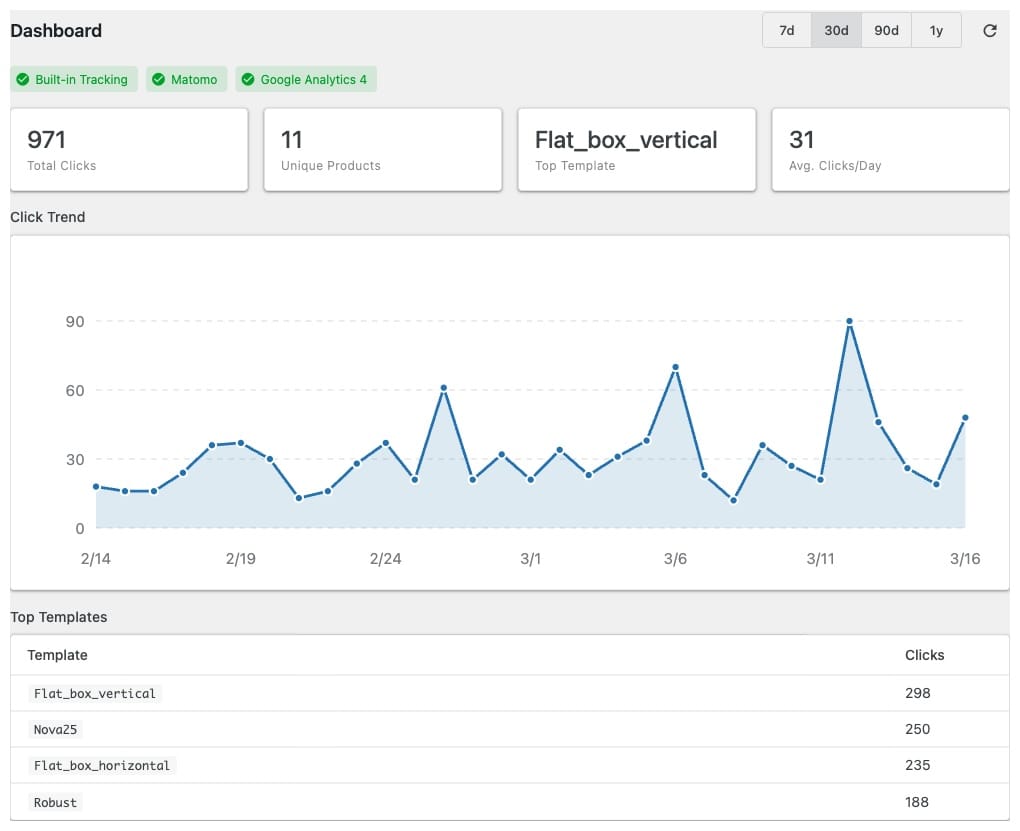
Built-in Analytics
All data stored in your WordPress database. The dashboard shows total clicks, unique products, click trends, and top templates at a glance. Configurable data retention from 30 days to unlimited. Daily automatic aggregation via WP-Cron with manual trigger available.
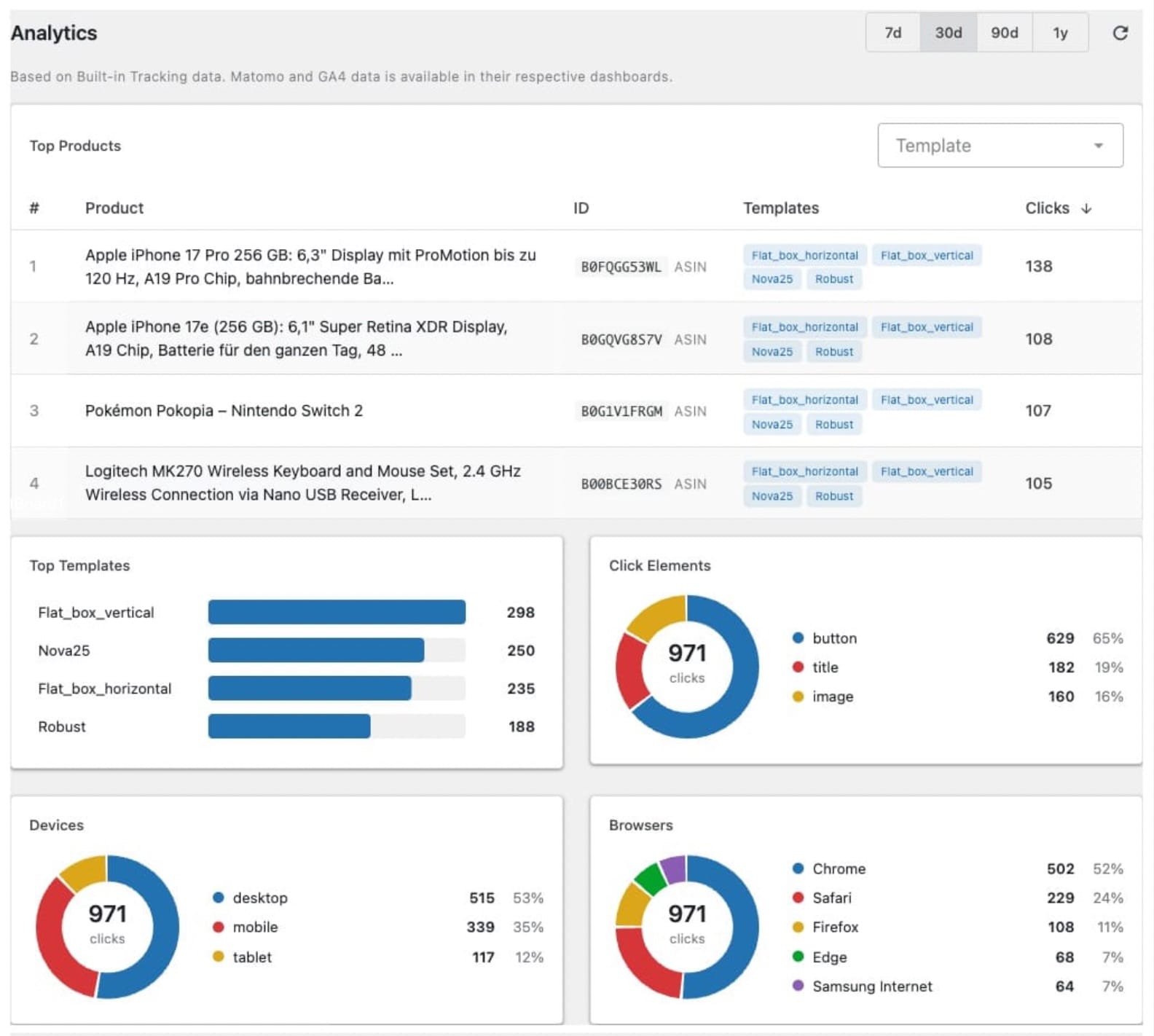
Analytics Page
Sortable top products table with click counts and template filter. Horizontal bar chart for template performance. Donut charts for click elements (button, title, image), device types (desktop, mobile, tablet), and browser distribution.
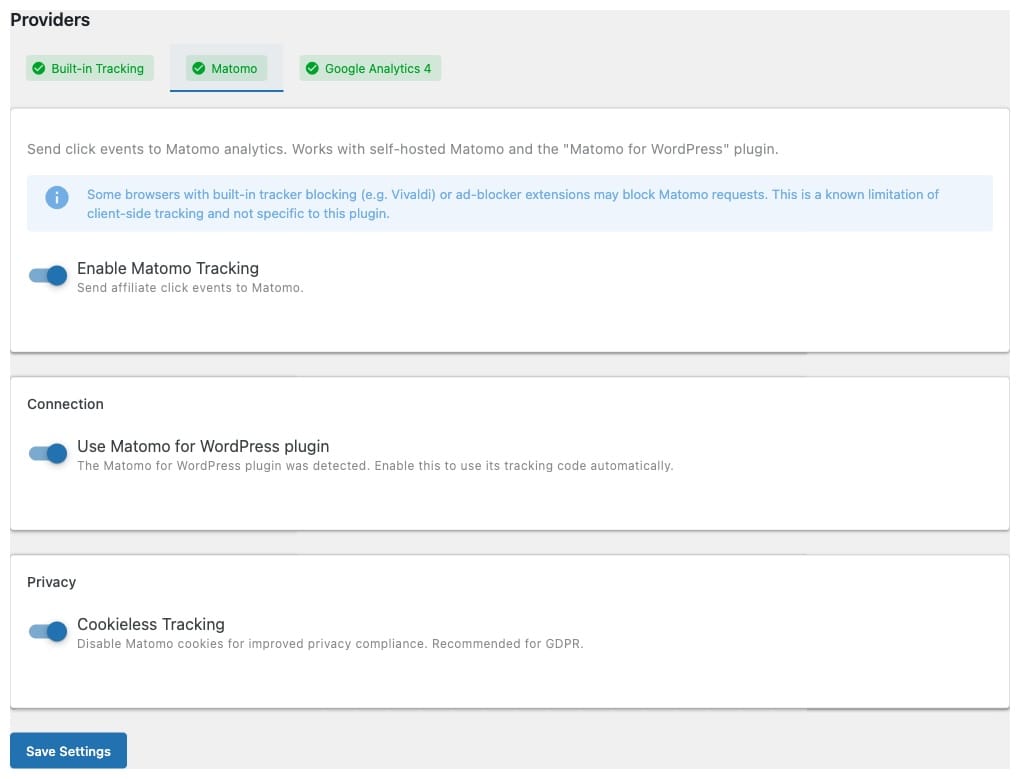
Matomo
Client-side event tracking via the Matomo tracking API. Auto-detection of the "Matomo for WordPress" plugin for zero-config setup. Manual configuration available for self-hosted Matomo instances. Cookieless tracking option for GDPR compliance. Events appear under Behaviour → Events in Matomo. matomo.org
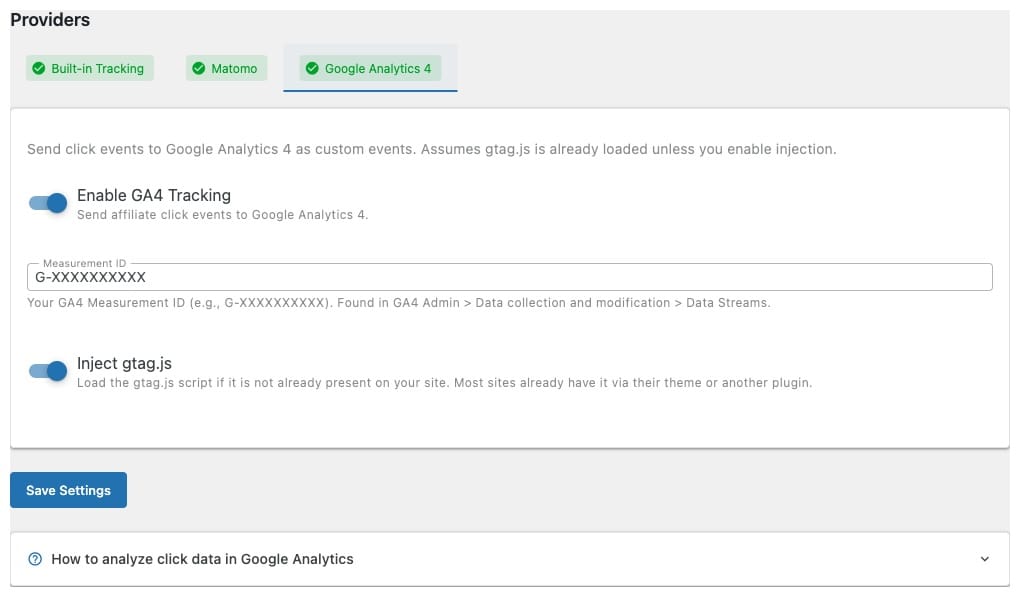
Google Analytics 4
Send click events to your Google Analytics 4 property. ASA2 Tracking uses the existing GA4 script on your site, or can inject it automatically. An inline setup guide walks you through creating custom dimensions and Explore reports in GA4. Works with Realtime reports and DebugView for instant verification. analytics.google.com
Provider Comparison
Choose the provider that fits your workflow — or combine all three.
| Feature | Built-in | Matomo | GA4 |
|---|---|---|---|
| No external service needed | ✓ | ✗ | ✗ |
| Dashboard in WordPress | ✓ | ✗ | ✗ |
| Device & browser stats | ✓ | ✓ | ✓ |
| Click element breakdown | ✓ | ✗ | ✓ |
| Top products & templates | ✓ | ✗ | ✓ |
| Privacy-friendly (no cookies) | ✓ | ✓* | ✗ |
| Detailed user journeys | ✗ | ✓ | ✓ |
| Conversion funnels | ✗ | ✓ | ✓ |
| Real-time data | ✗** | ✓ | ✓ |
* With cookieless mode enabled ** Data available after daily aggregation or manual trigger
How It Works Under the Hood
Lightweight Script ~1 KB
The frontend tracking script uses fetch() with keepalive for reliable click capture without delaying navigation.
Ad-Blocker Resistant
Abbreviated naming for API paths, scripts, and variables to avoid filter list matches. The built-in provider sends data to your own domain.
Automatic Injection
No template changes needed for managed templates. Tracking attributes are injected at render time via WordPress hooks.
Custom Template Support
For custom templates, add data-linktype tracking attributes to your link elements. The Template Checker tool verifies compatibility across all templates.
Getting Started
Install and Activate
Upload the plugin and enter your license key. Requires ASA2 1.32.0 or newer.
Enable Providers
Choose Built-in, Matomo, GA4 — or all three. Each provider is configured independently.
View Your Data
Check the dashboard for click trends, top products, and template performance.
Free for All ASA2 Users
ASA2 Tracking is free for all ASA2 users.
A license key is required for automatic updates.
- Built-in Analytics Dashboard
- Matomo Integration
- Google Analytics 4 Integration
- Automatic Template Injection
- Automatic Updates
- Email Support
Frequently Asked Questions
Which ASA2 version do I need?
ASA2 Tracking requires ASA2 1.32.0 or newer.
Do I need to edit my templates?
No. Tracking attributes are injected automatically into all managed ASA2 templates. For custom templates, add data-linktype attributes to your link elements — the Template Checker shows you exactly what to add.
Does tracking affect site performance?
The tracking script is ~1 KB and loads asynchronously. Click events are sent via fetch() with keepalive, so they do not delay page navigation.
Is the built-in tracking GDPR-compliant?
The built-in provider stores no personal data. IP addresses are hashed with daily rotating salts. No cookies are set and no fingerprinting is used. Only anonymous, coarse-grained device categories are recorded.
If you use Matomo or Google Analytics 4, these services have their own data collection policies. You are responsible for including them in your cookie consent and privacy policy. See the Providers documentation for details.
Can I use multiple providers at the same time?
Yes. Each provider works independently. You can use the built-in dashboard for quick overviews and GA4 for detailed funnel analysis simultaneously.
Does it work with non-Amazon products?
Yes. ASA2 Tracking tracks clicks on both Amazon products (by ASIN) and non-Amazon products from custom shops (by Product ID).
Start Tracking Your Affiliate Clicks
Download ASA2 Tracking and see which products and templates drive engagement.