
Server-Side Image Proxy for ASA2
Route Amazon product images — and those of any other shop ASA2 manages — through your own server so visitor IPs never reach third-party CDNs. With caching, resizing, and hardened SSRF protection.
The Problem
Every external product image embedded in a post leaks the visitor's IP, User-Agent, and referer to the upstream image origin — Amazon's CDN for most affiliate sites, plus any custom shop imported via CSV. Cookie consent audits flag these as third-party transfers, the browser re-fetches the image on every page view, and a unilateral host change can break hotlinked images overnight.
The Solution
ASA2 Image Proxy fetches each image once on the server, optionally resizes it, caches it, and streams it back from your domain. Visitors never touch the upstream image origin directly, repeat hits are served from cache, and a hardened SSRF blocklist keeps internal services invisible to the proxy.
Key Features
Visitor IP Protection
Product images load from your domain, not Amazon's CDN or any other shop's image host. No third-party request, no IP leak, no extra entry in your cookie banner.
Server-Side Cache
Fetched image bytes are cached on your server. Subsequent requests skip the upstream fetch entirely and are served from local storage.
Multiple Cache Backends
Filesystem, Redis, or Memcached — pick what fits your hosting. Backend availability is auto-detected at runtime.
Automatic Resize
Native PHP GD resizes images fit-inside and never upscales. Smaller payloads improve Largest Contentful Paint.
SSRF & DNS-Rebind Hardening
Origin allowlist, RFC 1918 blocklist, and cURL IP pinning. Internal services stay invisible to the proxy.
Zero Configuration
All managed ASA2 templates route images through the proxy automatically once the add-on is active. No template editing, no shortcode changes.
Cache Backends
Pick the backend that fits your hosting. All three implement the same ImageCache interface, so you can swap without re-fetching.

Filesystem
The default backend. Stores image bytes under wp-content/uploads/asa2-image-proxy-cache/. No extra services required. Best for single-server setups where you want a sensible baseline that works on any host.
Redis
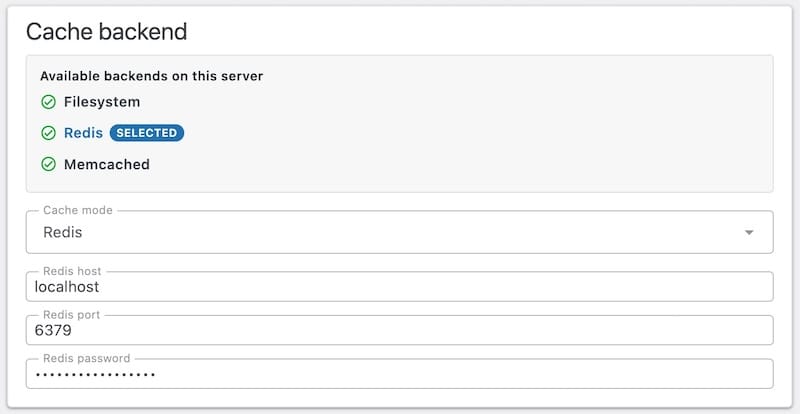
Reuses an existing Redis server via the phpredis extension. Distributed across servers and supports TTL eviction. Best for load-balanced or multi-site setups where the image cache should be shared across web nodes.
Memcached
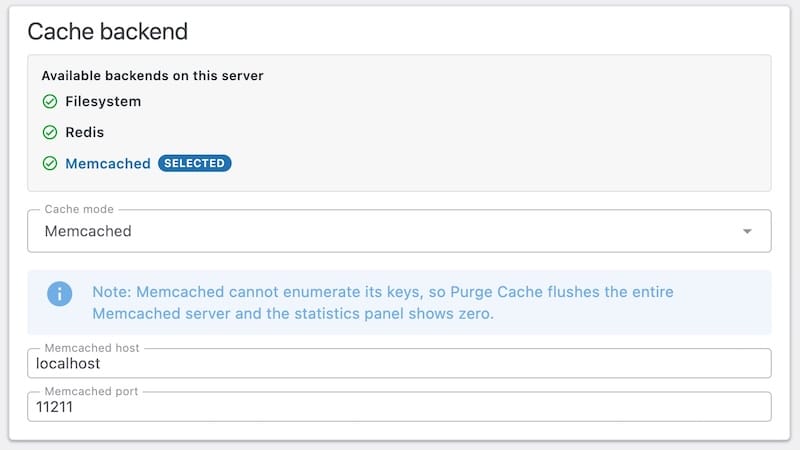
Pure in-memory cache via ext-memcached. Fastest reads, no persistence between Memcached restarts. Best for ephemeral high-throughput setups where re-warming after a restart is acceptable.
Backend availability is gated by the Capabilities detector. If phpredis or ext-memcached is not installed, the corresponding option is disabled in the UI with a tooltip explaining why.
Backend Comparison
Same proxy logic, different storage trade-offs.
| Feature | Filesystem | Redis | Memcached |
|---|---|---|---|
| Setup effort | None | Server config | Server config |
| First-hit latency | High | High | High |
| Repeat-hit latency | Low | Lowest | Lowest |
| Persistence across restarts | ✓ | Optional | ✗ |
| Multi-server safe | ✗ | ✓ | ✓ |
| Memory cost | None | RAM | RAM |
| GIF animation passthrough | ✓ | ✓ | ✓ |
| TTL eviction | Manual purge | Built-in | Built-in |
First-hit latency depends on the upstream image origin (Amazon's CDN or any other shop's host). The proxy adds <5 ms overhead in practice.
How It Works Under the Hood
HMAC-SHA256 Signing Optional
Every proxy URL can carry a signature derived from a rotatable secret. URLs that don't verify are rejected before the pipeline runs.
DNS-Rebind Protection
The UrlResolver resolves the upstream host once; the fetcher then uses cURL IP pinning via CURLOPT_RESOLVE so the TCP connection cannot land on a different IP than the one the SecurityGuard approved.
SSRF Blocklist
Loopback, RFC 1918, link-local, and Carrier-grade NAT ranges are blocked by PrivateIpBlocklist. Combined with the origin allowlist, the proxy can't be turned into an internal network scanner.
Zero Composer Dependencies ~1 MB ZIP
Native PHP GD for image work, phpredis and ext-memcached extensions for caching. No bundled vendor/ directory — the plugin ZIP stays small and audit-friendly.
Who Benefits
Privacy-First Bloggers
"I need GDPR-clean image embeds without redoing my cookie banner."
Use the default Filesystem cache with HMAC signing enabled. No external service, no extra third-party request, and signed URLs prevent open-proxy abuse.
High-Traffic Affiliate Sites
"I want Amazon images cached like my own assets so Core Web Vitals stop dropping."
Pair Redis with a CDN in front of WordPress. Repeat hits skip the upstream image origin (Amazon's CDN or any other shop's host) entirely and the CDN caches the proxied response across edge locations.
Multi-Server & Agencies
"I run several ASA2 sites and need a shared image cache layer."
Point Redis or Memcached at a shared cluster. All sites read and write the same cache namespace, so an image fetched on one server is hot on every other server too.
Getting Started
Install and Activate
Upload the plugin and enter your license key. Requires ASA2 1.32.0 or newer.
Pick a Backend
Open Image Proxy → Settings and choose the cache backend that fits your hosting. Filesystem is the default and needs no extra services.
Done
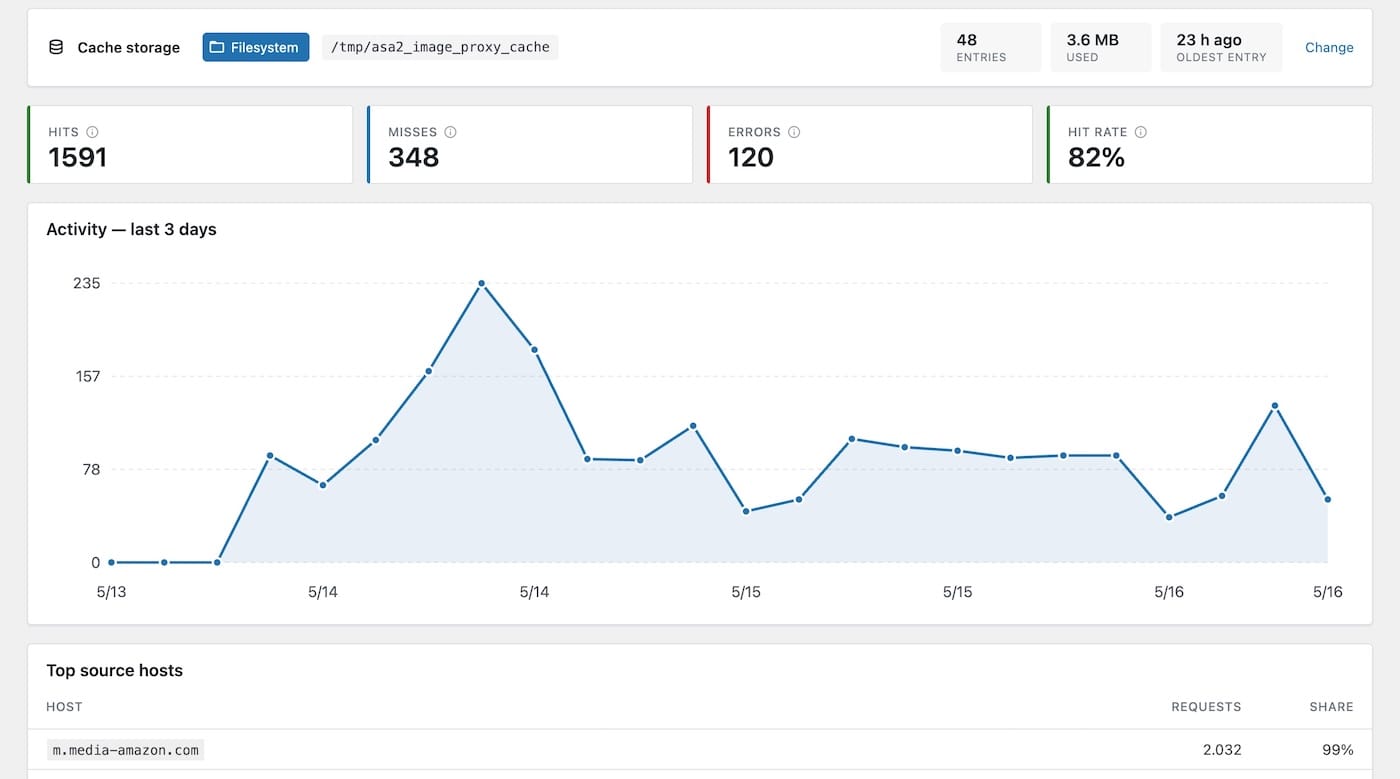
All managed ASA2 templates now route images through the proxy. Watch hits and misses on the built-in dashboard.
Recommended: Pretty Permalinks. The proxy also works with the Plain permalink setting — it falls back to /index.php/... URLs automatically.
Full configuration details, backend setup, and pipeline reference.
Free for All ASA2 Users
ASA2 Image Proxy is free for all ASA2 users.
A license key is required for automatic updates.
- Server-side image proxy
- Filesystem, Redis & Memcached cache
- Automatic resize
- SSRF & DNS-rebind protection
- HMAC URL signing
- Dashboard with hit/miss counters
- Automatic Updates
- Email Support
Frequently Asked Questions
Which ASA2 version do I need?
ASA2 Image Proxy requires ASA2 1.32.0 or newer. The add-on hooks into the asa2_image_url filter that ships with ASA2 core.
Do I need to edit my templates?
No. All managed ASA2 templates route image URLs through asa2_image_url, which the add-on filters automatically. Custom templates that use the same helper for image rendering pick up the proxy without changes.
Does the visitor wait while the proxy fetches from Amazon on first load?
Yes, for the very first hit of an uncached image. The proxy adds typically <5 ms on top of the upstream image origin's response time (Amazon's CDN for most affiliate sites, or any other shop ASA2 manages). Every subsequent hit is served from cache and skips the upstream fetch entirely.
Are animated GIFs supported?
Yes. The pipeline detects multi-frame GIFs via GifAnimationDetector and passes them through untouched so the animation is preserved.
What happens if Amazon (or another upstream) temporarily rejects the fetch?
The proxy returns a typed FetchException, the Emitter responds with a 502, and the failure is counted on the dashboard for diagnosis. Visitors see the standard broken-image icon, not a stack trace.
Does the proxy require Pretty Permalinks?
Pretty Permalinks are recommended but not required. With the Plain permalink setting the builder emits /index.php/url/... URLs that work without rewrite rules.
Is the cache cleared automatically when I rotate the signing secret?
Yes. The signing-secret rotation flushes cached envelopes so the new signature is enforced from the next request onward.
Can I use this with non-Amazon images?
Yes. The proxy works with images from any external host out of the box. Once the optional origin allowlist editor ships in a later version, administrators will be able to restrict the proxy to a specific set of hosts; until then every external image source ASA2 emits is proxied.
Stop Leaking Visitor IPs to Amazon
Download ASA2 Image Proxy and serve product images from your own domain — Amazon's CDN or any other shop ASA2 manages — cached, resized, and hardened against SSRF.