
Structured Logging for ASA2
See what happens inside your ASA2 installation. View logs in WordPress, get notified via Slack, and forward errors to Sentry or BetterStack.
The Problem
ASA2 handles API calls, product refreshes, and cron jobs in the background. When something fails, the default WordPress debug log offers little context. Finding the cause of a failed product refresh or a misconfigured API key means reading through unstructured log files.
The Solution
ASA2 Advanced Log captures structured log entries across all ASA2 operations: API requests, cron jobs, cache events, product imports, and shortcode rendering. Each entry includes the source channel, log level, timestamp, and context data. Logs can be viewed in WordPress or forwarded to external services.
Key Features

Built-in Log Viewer
Browse, filter, and search logs in the WordPress admin. Filter by log level, channel, or date range.

Slack Notifications
Receive log entries in a Slack channel. Configure which log levels trigger a notification.

Sentry Integration
Forward errors with stack traces to Sentry. Groups similar errors and tracks occurrences across releases.

BetterStack Support
Send logs to BetterStack (Logtail) for centralized log storage, search, and long-term retention.
Configurable Log Levels
Set different log levels per handler. Use DEBUG for the database viewer and ERROR for Slack notifications.
Backtrace Support
Attach stack traces to log entries to identify where an issue originates.
Log Handlers
Each handler can be enabled and configured independently. Use one or combine several.
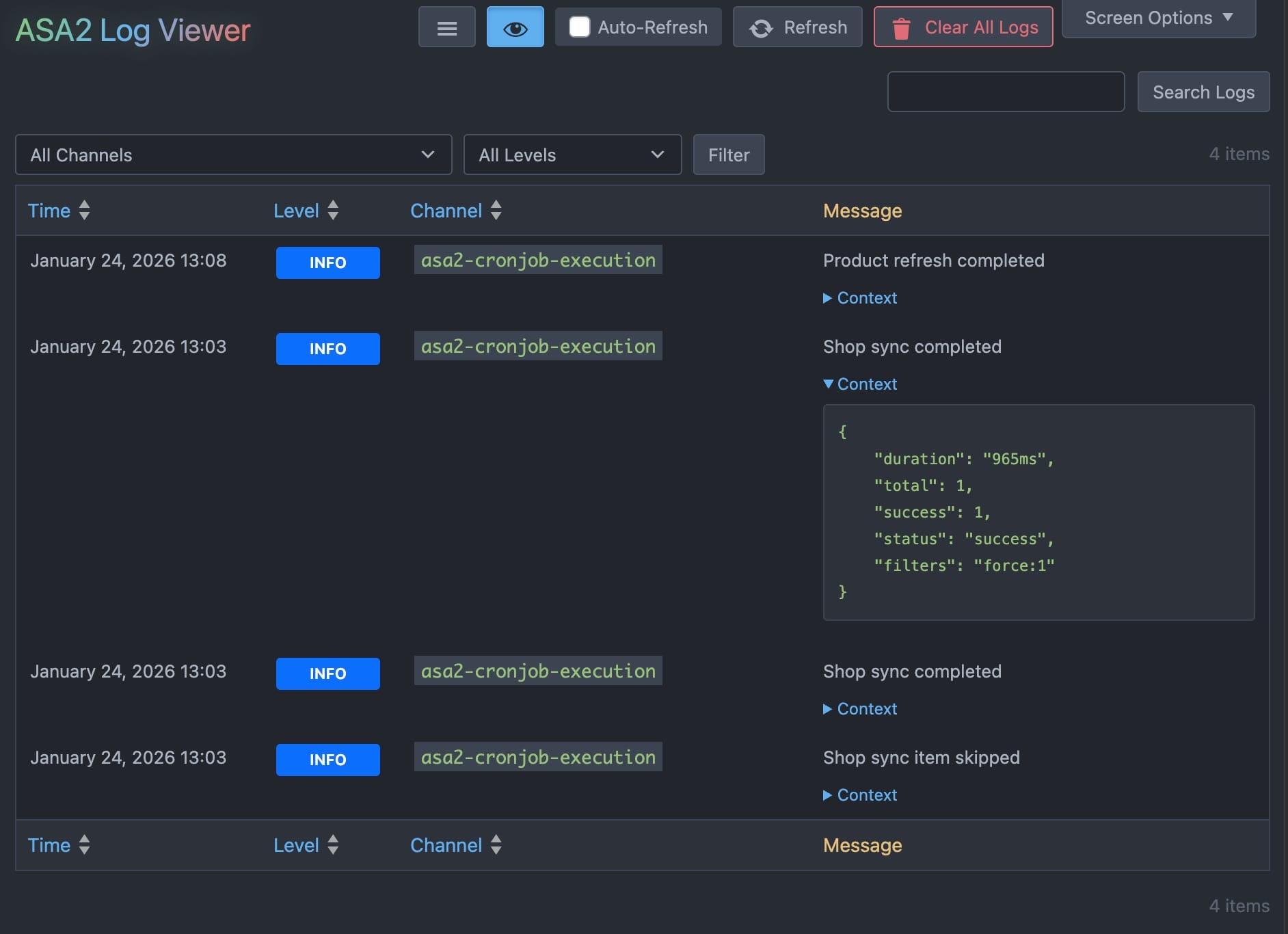
Built-in Log Viewer
Browse, filter, and search logs directly in the WordPress admin. View context data per entry, filter by log level or channel, and export results. No external account or service required.
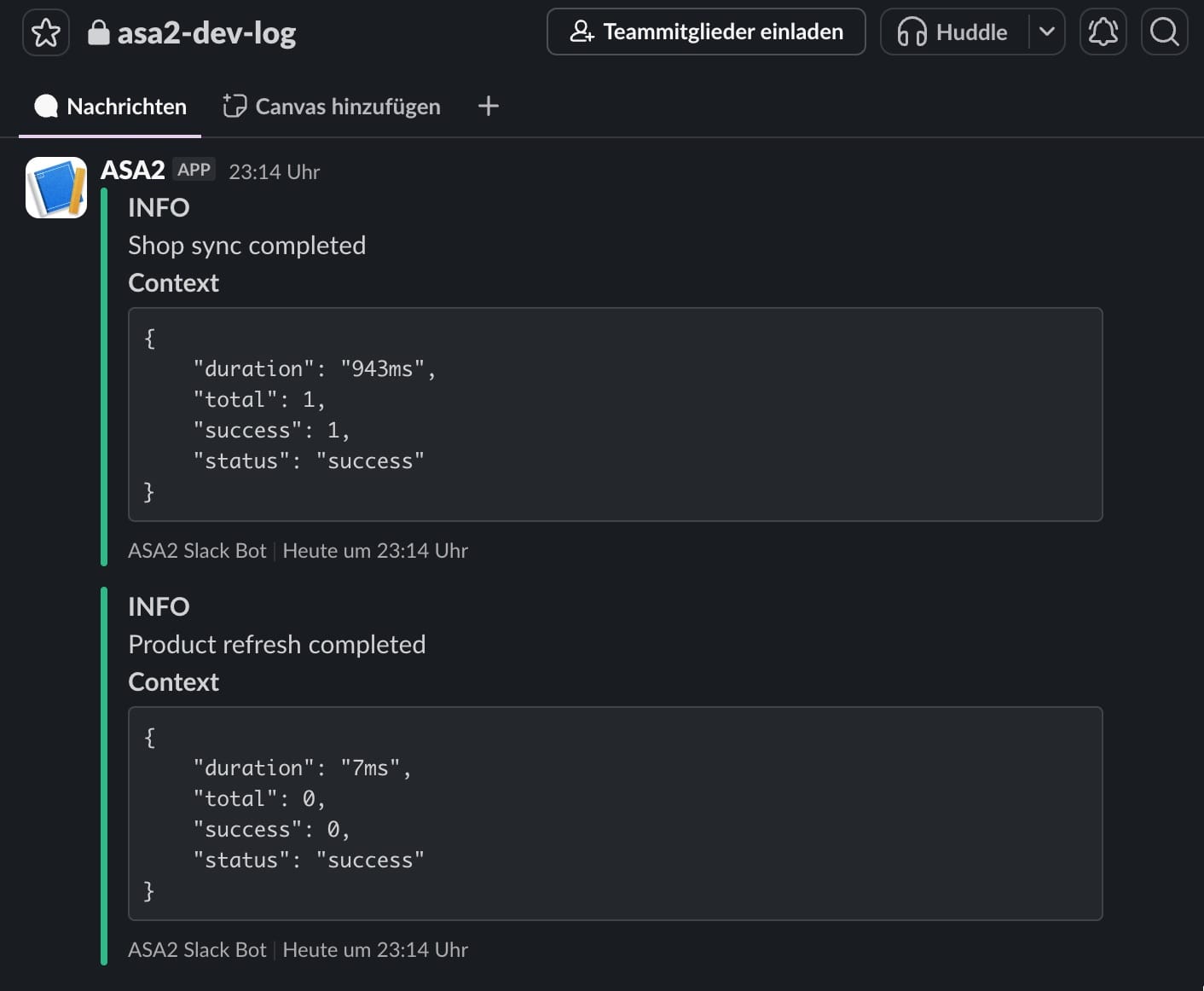
Slack
Receive log entries as Slack messages. Configure the minimum log level per channel. Useful for monitoring production sites without checking the WordPress admin. slack.com
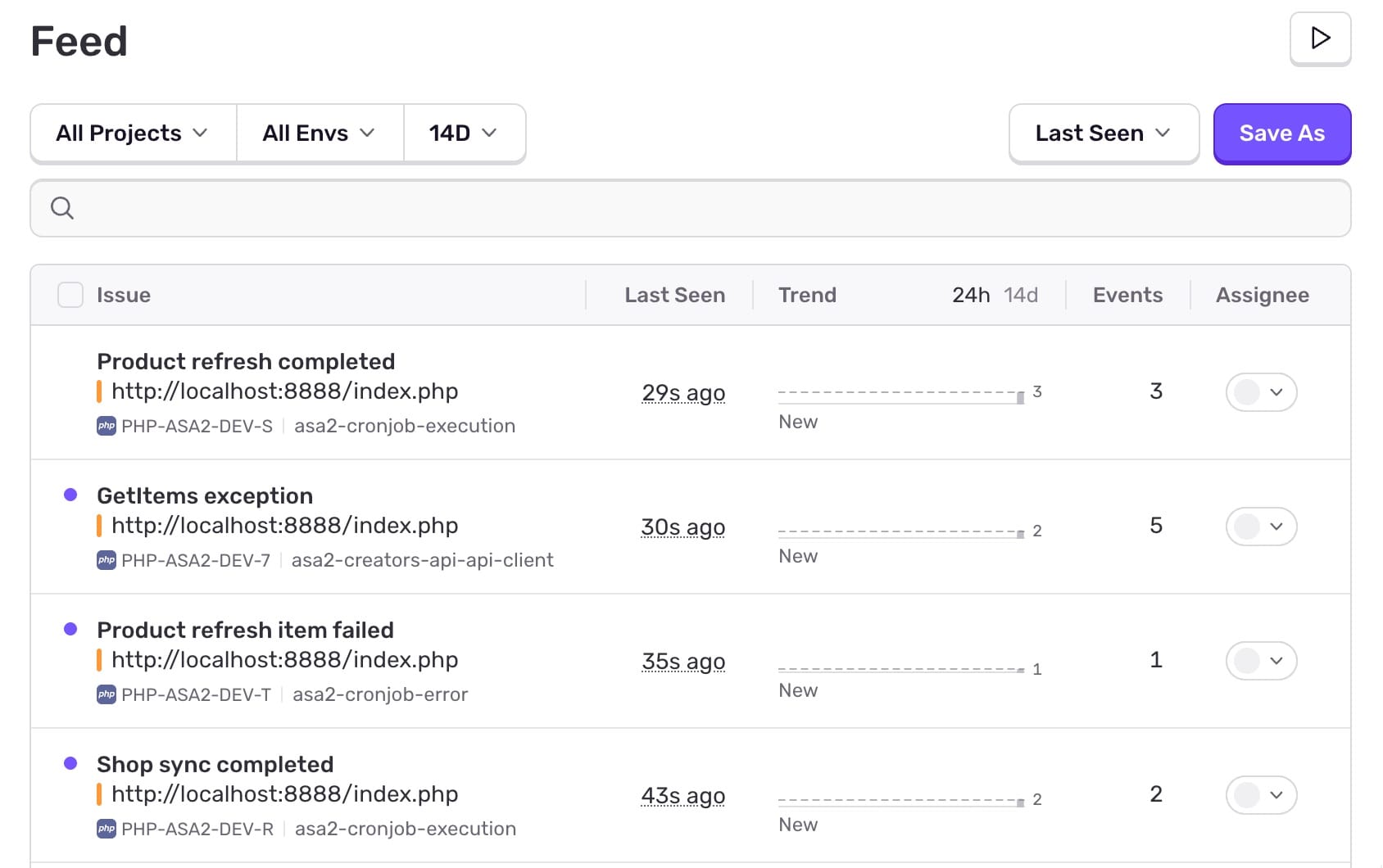
Sentry
Error tracking with stack traces, breadcrumbs, and release information. Sentry groups repeated errors and shows what happened before each occurrence. Requires a Sentry account (free tier available). sentry.io
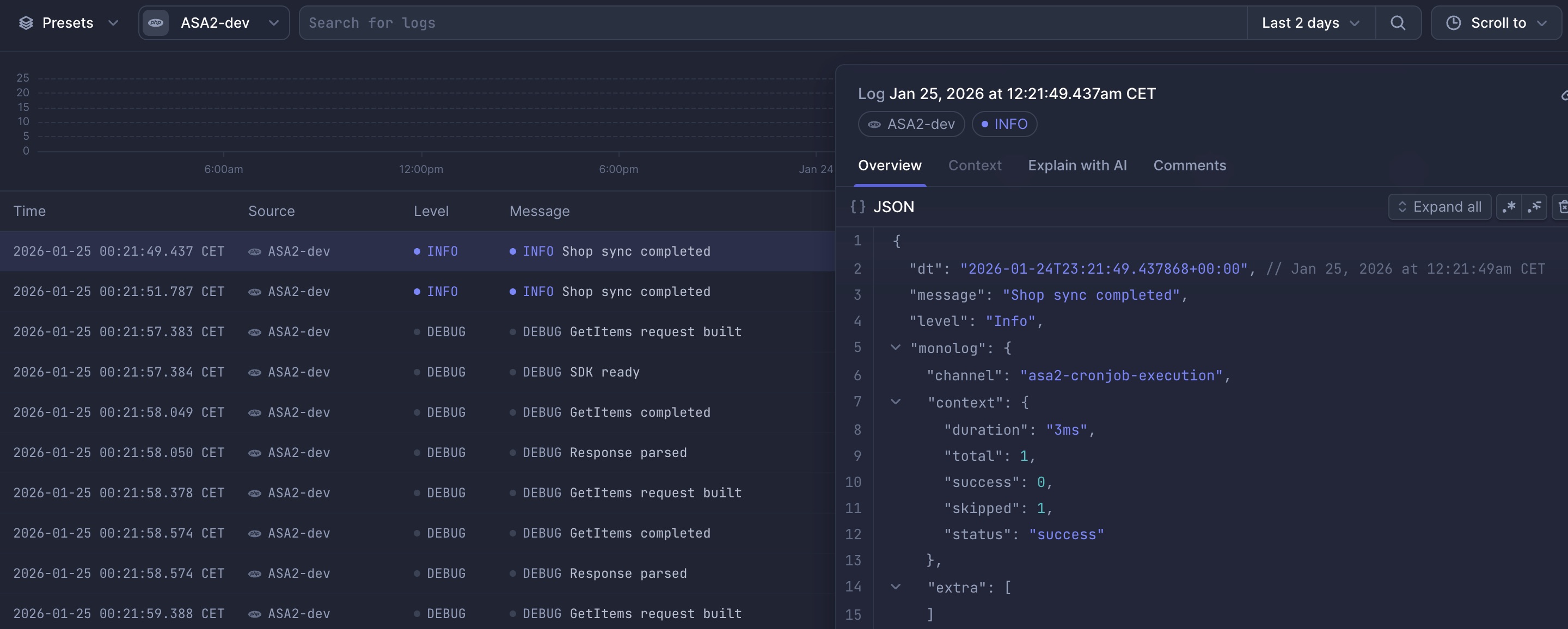
BetterStack
Centralized log storage with search, filtering, and retention policies. BetterStack (Logtail) collects logs from multiple sites into one interface. Requires a BetterStack account (free tier available). betterstack.com
Who Benefits
Site Owners
"I want to know when something breaks."
Enable Slack notifications for ERROR-level entries. The plugin sends an alert when a cron job fails or an API request returns an error.
Developers
"I need to debug API issues and trace what happened."
Use the built-in log viewer with backtrace support, or connect Sentry for error grouping and context tracking.
Agencies
"I manage multiple ASA2 sites and need one place for all logs."
Forward logs from all sites to BetterStack. Filter and search across installations from a single dashboard.
How It Works
Install and Activate
Upload the plugin and enter your free license key
Configure Handlers
Select which handlers to enable: Database, Slack, Sentry, or BetterStack
Review Logs
Log entries appear as ASA2 operations run

Free for All ASA2 Users
ASA2 Advanced Log is free for all ASA2 users.
A license key is required for automatic updates.
- Built-in Log Viewer
- Slack Integration
- Sentry Integration
- BetterStack Integration
- Automatic Updates
- Email Support
Frequently Asked Questions
Which ASA2 license do I need?
ASA2 Advanced Log works with any ASA2 license. There are no restrictions by license tier.
Which log handler should I start with?
The Database handler is the simplest starting point. It stores logs locally and provides the built-in viewer. Add Slack, Sentry, or BetterStack when you need external notifications or centralized storage.
Does logging affect site performance?
Log entries are written during existing ASA2 operations (cron jobs, API calls). The overhead is minimal. Each handler can be configured independently, so you only log what you need.
Free for All ASA2 Users
Download ASA2 Advanced Log and get a free license key from your account area.